Google Gemini API Development Services
InterCode builds production applications with Google Gemini — Google's most capable multimodal AI family. From long-document analysis using the 1M token context window to video understanding and enterprise deployment via Vertex AI, we help you use Gemini's unique capabilities to solve problems that other models cannot.
What is Gemini API?
Gemini API is Google's multimodal interface for running high-speed neural models. As an experienced Gemini app developer team, we help businesses connect Gemini AI, configure Google AI, and deploy applications using the broader Google developer ecosystem. Whether you need quick prototyping inside Google AI Studio / Gemini API or enterprise backends, our Google Gemini developer team builds tailored tools from scratch. We think practical execution beats theoretical chatter every time.

Related Case Studies
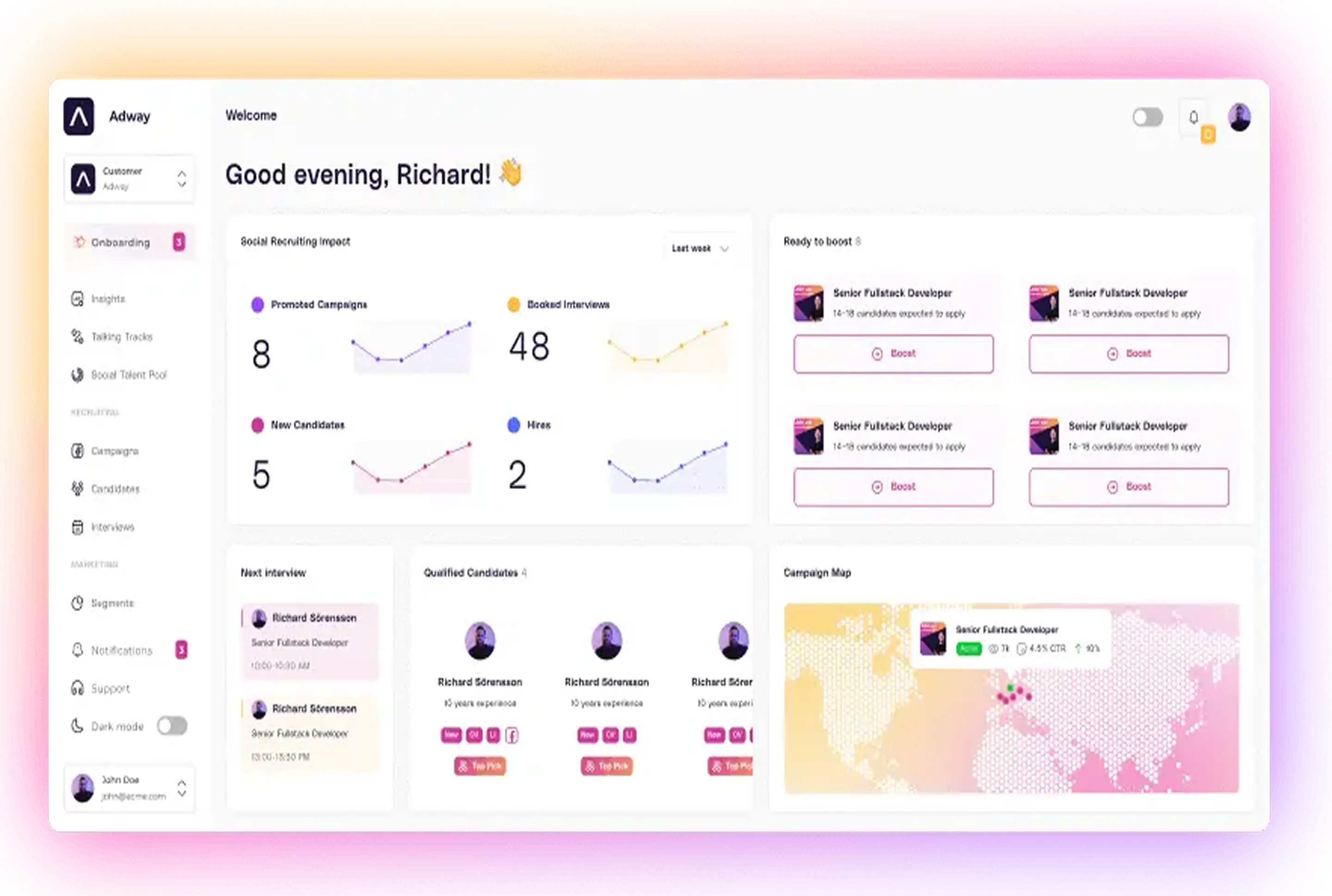
AI Social Recruiting SaaS Platform — Adway
AI-driven HR Tech SaaS solution with connected social media ads API to help job seekers promote them and find a job. The platform's AI recruiting capabilities have been recognized in the Fosway 9-Grid™ for Talent Acquisition.
Read case study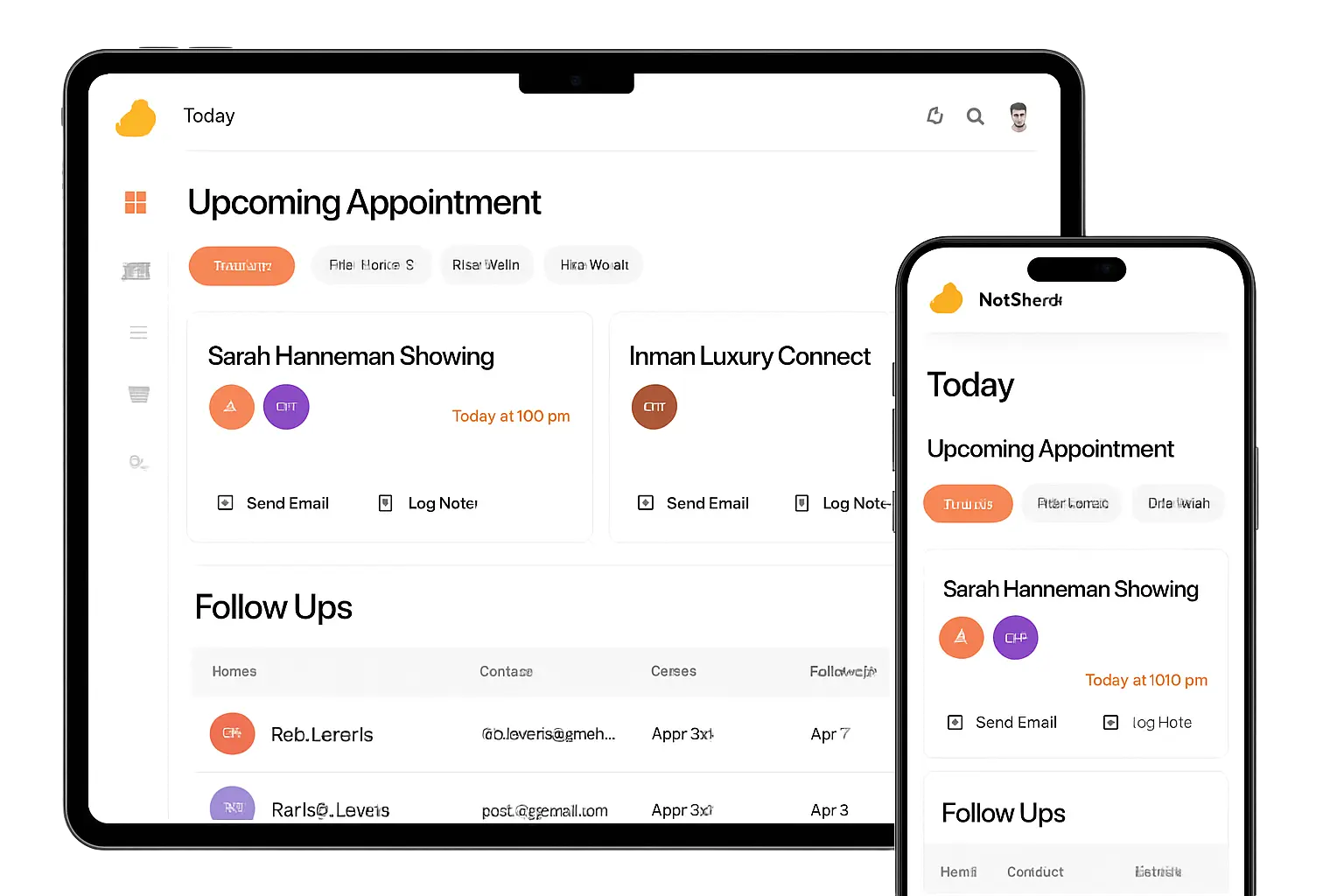
AI Real Estate CRM Platform — MyHotSheet
An AI-native Real Estate CRM built for agents. My Hotsheet helps you manage contacts, track deals, and automate follow-ups, so you can close more transactions and grow your business
Read case study
From messy Beta to production-ready SaaS: how InterCode rebuilt Rezora's AI voice agent platform for real estate
Explore how InterCode transformed Rezora's AI voice agent platform for real estate, making lead follow-up effortless and efficient. Learn more today!
Read case studyWhy We Use Gemini API
Google Gemini brings multimodal reasoning capabilities that are essential for applications that need to understand images, documents, and structured data alongside text. At InterCode, we use Gemini when projects require vision-language understanding — analyzing product images, extracting data from scanned documents, or building assistants that can interpret screenshots and diagrams alongside natural language instructions. The Gemini API platform delivers massive context capacity, fast inference speeds, and native multimodal understanding. Key reasons we chose Gemini API:
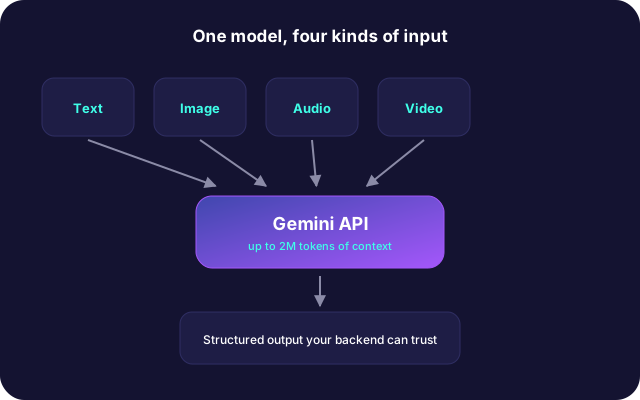
- Huge Native Context. Standard language models struggle with large inputs. The Gemini API model handles up to two million tokens in a single prompt, allowing direct inspection of massive codebases.
- Low Latency & Cost Savings. The Gemini API cuts response latency dramatically while keeping execution expenses low.
- Native Multimodal Processing. Text, audio, images, and video run through one unified Gemini model API instead of separate external vision models.
- Enterprise Infrastructure. The Gemini Google API connects directly with Google Cloud and Vertex AI for secure runtime management. Honestly, Google's global network makes latency predictable even under heavy loads.
Gemini integrates seamlessly with the Google Cloud ecosystem, making it a natural choice when clients are already on GCP or need access to Google Search grounding for factual accuracy. We also use Gemini for its long context window, which is valuable for applications that need to process large documents or maintain extended conversation histories without losing context.
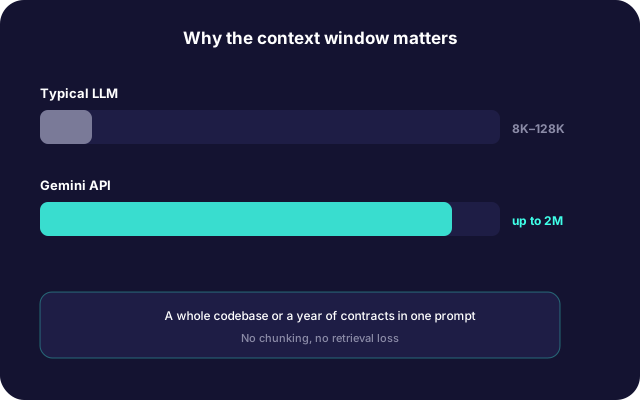
- 2M
- tokens in a single prompt
- 4
- input modes handled natively
- 7
- use cases we build
- 8
- steps in our integration process
Standard language models struggle with large inputs. The Gemini API model handles up to two million tokens in a single prompt, allowing direct inspection of massive codebases.
Our Approach to Gemini API
Building production software with the Google Gemini API requires solid backend design, reliable token handling, and disciplined infrastructure. We follow an engineering-first workflow to design, test, and ship your software. Our approach:
- Architecture & Feasibility Analysis. We define software boundaries and pick suitable options among Google Gemini API available models.
- Prompt Tuning & Model Validation. We benchmark prompts across Google AI Studio API models to verify accuracy, latency, and cost before writing server code.
- Secret Storage & Credential Security. We provision your Google Gemini API key, store each API key in secure vaults, and configure rotation for enterprise API keys. Managing your apikey correctly prevents credential leaks and unexpected billing spikes.
- Backend Implementation. Our team writes reliable Google Gemini API code using Python, Node.js, or Go. We implement rate limits, retries, and schema validation.
- Deployment & Continuous Monitoring. We launch on your cloud, configure telemetry, and track token usage.
What We Build With Gemini API (Gemini API Use Cases)
Google Gemini enables you to automate knowledge work, improve customer experiences, and build intelligent products. Below are some of the most common implementation scenarios.
AI Customer Support
We build intelligent chatbots and virtual assistants capable of understanding customer intent, answering questions, and resolving common support requests around the clock. Gemini-powered support solutions can:
- Handle frequently asked questions
- Assist with troubleshooting
- Guide users through onboarding
- Escalate complex cases to human agents
- Summarize customer conversations
- Generate support tickets automatically
This reduces support costs while improving response times and customer satisfaction.
Enterprise Knowledge Management
Many organizations struggle with scattered documentation across multiple systems. Gemini can transform internal knowledge into an AI-powered search experience that allows employees to ask questions in natural language and receive accurate, context-aware answers. Typical integrations include:
- Confluence
- SharePoint
- Notion
- Google Drive
- Internal wikis
- Company documentation portals
Employees spend less time searching for information and more time acting on it.
Intelligent Document Processing
Businesses process thousands of contracts, invoices, reports, manuals, and PDFs every month. Gemini can automatically:
- Extract structured data
- Summarize lengthy documents
- Identify important clauses
- Categorize files
- Validate information
- Generate reports
- Compare document versions
These capabilities dramatically reduce manual processing and improve operational efficiency.
Software Development Assistance
Development teams increasingly use AI to improve productivity throughout the software lifecycle. Gemini can support developers by:
- Explaining existing code
- Generating new code snippets
- Creating API documentation
- Writing unit tests
- Refactoring legacy applications
- Identifying bugs
- Assisting with code reviews
Integrated directly into internal development workflows, Gemini helps engineering teams deliver software faster.
Workflow Automation
Many repetitive business processes involve reading, understanding, and generating text. Gemini can automate workflows across departments, including:
- Sales
- Marketing
- Customer support
- Human resources
- Finance
- Operations
Common examples include automatically classifying support tickets, generating meeting summaries, extracting information from emails, preparing reports, routing documents for approval, and creating personalized customer communications.
Multimodal AI Applications
Unlike traditional language models, Gemini supports multimodal interactions, allowing applications to process text, images, documents, and other data types together. We can implement the Gemini API for your team to:
- Analyze uploaded images
- Extract information from scanned documents
- Review technical diagrams
- Interpret charts and visual reports
- Build visual AI assistants
This enables richer user experiences across healthcare, finance, manufacturing, logistics, education, and other industries.
Custom AI Agents
Organizations are increasingly building AI agents capable of completing complex, multi-step tasks rather than simply answering questions. Using Gemini as the reasoning engine, we develop AI agents that can:
- Interact with multiple business systems
- Retrieve information from databases
- Execute predefined workflows
- Generate reports
- Coordinate tasks across applications
- Support internal teams with decision-making
These AI agents help businesses automate complex operational processes while keeping humans in control of critical decisions.
Our Google Gemini API Integration Process
Every AI project has unique business requirements, existing infrastructure, and scalability challenges. That's why we follow a structured implementation process that minimizes technical risks while accelerating time to market.
- 1
Discovery & AI Strategy
Every successful implementation starts with understanding your business rather than choosing a model. During the discovery phase, we identify:
- Business goals and success metrics
- Existing software architecture
- User journeys and pain points
- Data sources and integrations
- Security and compliance requirements
- Performance expectations
- Estimated API usage and operational costs
At this stage, we also determine whether Google Gemini is the best choice for your project or whether a multi-model architecture would deliver better results.
- 2
Solution Architecture
Once the requirements are defined, our architects design a scalable AI infrastructure tailored to your application. This includes:
- Backend architecture
- API gateway design
- Authentication flow
- Database integration
- Vector database implementation (when required)
- Caching strategy
- Rate limiting
- Monitoring architecture
- Cloud deployment strategy
The goal is to ensure your application can reliably process thousands of AI requests while maintaining high availability and low latency.
- 3
Secure Gemini API Authentication
Generating a Gemini API key is only the first step. A production-ready application requires secure credential management and robust authentication practices. We help clients:
- Generate and configure Google Gemini API keys
- Store secrets securely using cloud secret managers
- Protect API credentials from client-side exposure
- Configure environment variables
- Rotate API keys when needed
- Set up access controls and permissions
- Implement request validation and security best practices
Proper authentication significantly reduces security risks and helps maintain compliance with organizational policies.
- 4
Gemini SDK & API Integration
Our engineers integrate Google Gemini into your existing technology stack using Google's official SDKs and APIs. We support:
- Python
- Node.js
- Java
- Go
- REST API integrations
Depending on your business needs, we build:
- Chat interfaces
- AI assistants
- Content generation pipelines
- Document processing systems
- Search applications
- Intelligent workflow automation
- Internal productivity tools
Our integrations are designed to be modular, making future upgrades and model migrations straightforward.
- 5
Prompt Engineering & AI Workflow Design
The quality of AI outputs depends heavily on how the application communicates with the model. Our team designs optimized prompting strategies that improve response quality while reducing unnecessary token consumption. We develop workflows that include:
- Context management
- Prompt templates
- Multi-step reasoning
- Structured JSON outputs
- Tool calling
- Function execution
- Retrieval-Augmented Generation (RAG)
- Conversation memory
- Human-in-the-loop validation
These techniques produce more reliable, consistent, and business-ready AI applications.
- 6
Performance Optimization
AI applications must balance speed, quality, and operating costs. We continuously optimize:
- Response latency
- Token usage
- Prompt efficiency
- API request batching
- Context window utilization
- Caching strategies
- Model selection
- Infrastructure costs
The result is a faster application with lower monthly AI expenses.
- 7
Testing & Quality Assurance
Before deployment, every integration undergoes comprehensive testing. Our QA process includes:
- Functional testing
- API validation
- Security testing
- Load testing
- Prompt evaluation
- Error handling
- Edge-case scenarios
- Performance benchmarking
We verify that AI responses remain accurate, reliable, and aligned with your business objectives.
- 8
Deployment & Production Support
After successful testing, we deploy your AI solution to production using cloud-native best practices. Our deployment services include:
- CI/CD pipelines
- Containerization
- Monitoring
- Logging
- Usage analytics
- Cost tracking
- Model updates
- Ongoing optimization
As Google releases new Gemini models, we help clients evaluate migration opportunities and adopt new capabilities with minimal disruption.
Planning a Gemini integration?
We will benchmark prompts and models against your own data before a line of backend code is written.
Gemini API Development: Developer Resources, SDK Support, and Ecosystem Variations
Software teams interact with the Google AI Studio / Gemini API across various developer platforms and search terms. Whether you want to work with Gemini developers or consult Google Gemini Developers, our team provides full technical assistance.
Documentation & Standards
We follow the official Google Gemini API documentation and standard Gemini developer API guides.
Endpoints & Models
We connect to endpoints such as api.gemini and Google Cloud endpoints, working across diverse Google API models.
International Developer Queries
We support global developer teams looking up tools for Gemini dev or building backend infrastructure with Google API services.
Related Services
AI Chatbot Development That Converts
Transform customer interactions with intelligent chatbots powered by the latest LLMs. InterCode builds conversational AI solutions that automate support, qualify leads, and deliver personalized experiences across every channel.
Learn moreGenerative AI Development for Production
Move beyond prototypes with production-grade generative AI solutions. InterCode builds LLM-powered applications with retrieval-augmented generation, fine-tuned models, and robust guardrails that deliver reliable, accurate results in real business environments.
Learn moreCustom AI
Build production-ready AI applications, LLM systems, and autonomous AI agents with InterCode. We are a specialist ai software development agency that has shipped 50+ AI products — from prototypes to enterprise-scale platforms.
Learn moreAI integration
Add AI capabilities to your existing software without a big-bang rewrite. InterCode provides ai integration services — embedding LLMs, AI agents, and intelligent automation into your SaaS platform, internal tools, or enterprise systems.
Learn moreRelated Technologies












Frequently Asked Questions
Acquiring a Gemini API key requires logging into Google AI Studio, selecting or importing an active Google Cloud Platform project, and navigating to the key management interface to generate a new API key string. Developers should apply API access restrictions in the Google Cloud Console to ensure credentials remain restricted exclusively to the Generative Language API.
Connecting the Gemini API to a Replit software environment involves opening the Replit project workspace, navigating to the "Secrets" management tab, and storing the credential as an environment variable named GEMINI_API_KEY. Importing the official Google Gen AI SDK (@google/genai or google-genai) inside the application code automatically resolves this environment secret during client initialization.
Google offers a free tier through Google AI Studio designed for software development and prototyping. Free usage is available on lightweight models such as Gemini 2.5 Flash-Lite and Gemini 2.5 Flash, subject to strict usage limits on requests per minute and daily quotas. Production deployments requiring flagship models or unthrottled execution require pay-as-you-go billing setup.
Generated API keys are listed inside the Google AI Studio console under the API Keys menu. Additionally, developers managing keys bound to enterprise Google Cloud Platform projects can view, audit, restrict, or revoke API key credentials within the Credentials dashboard of the Google Cloud Console.
Generating an API key requires accessing Google AI Studio, clicking the Create API Key button, and selecting whether to associate the credential with a new workspace or an imported Google Cloud project. The console outputs a unique key string that must be copied into application environment variable configurations immediately.
Generating an API key credential incurs no upfront platform costs. Billing is calculated based on actual token consumption per API call. Rates vary by model; for instance, Gemini 2.5 Flash-Lite costs $0.10 per million input tokens, whereas flagship reasoning models like Gemini 3.1 Pro cost $2.00 to $4.00 per million input tokens.
The Gemini API is Google's cloud service interface that grants developers programmatic access to Google's multimodal artificial intelligence models. The API enables software applications to process and generate text, write code, analyze visual media, process audio, and call external backend functions.
API keys are located in the Google AI Studio management console under the API Keys dashboard. Keys created within imported Google Cloud Platform projects are also accessible via the APIs & Services Credentials menu within the main Google Cloud Management Console.
A consumer subscription to "Gemini Advanced" or "Gemini Pro" does not grant API access credentials. API access is managed separately through Google AI Studio or Google Cloud Vertex AI, where developers generate dedicated API keys and pay based on token consumption rather than a flat consumer subscription. 10.Is the Gemini API down right now? Platform operational status can be verified on the official Google Cloud Status Dashboard. If an application returns HTTP 429 status codes, the service is typically operational, but the client application has exceeded its assigned rate limits or is using an unrestricted standard key that has been rejected by authentication filters.
Build With Google Gemini
Talk to our AI engineers about your Gemini integration. We will design the right architecture — long-context analysis, multimodal pipelines, or Vertex AI deployment — for your use case.
Contact Us